
We support Apple TV HD and Apple TV 4K.
The minimum tvOS operating system we support is 12.0 or later.
Watch the following video on how to set up your Apple TV with Qminder:
Installing the TV app
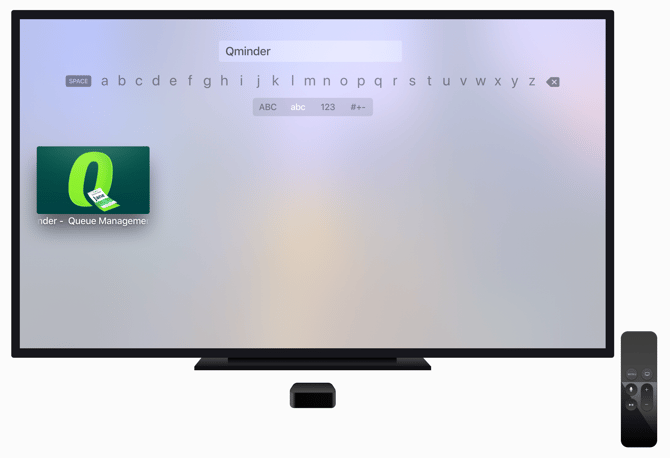
To install the Qminder TV app, go to the Apple store on your Apple TV. Search for Qminder and download it.
Open the Qminder app which is now listed in your list of apps. You will see a code that allows you to connect your device with the Qminder system.
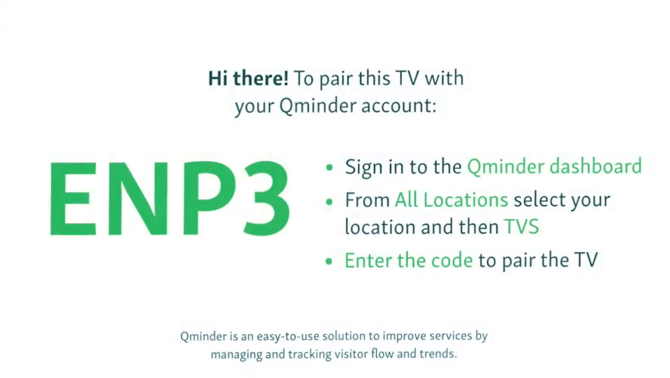
Pairing the TV with Qminder
To pair the TV with your Qminder account, log in to the Qminder dashboard on your computer.
Open Location Settings at the location you wish to connect the Apple TV to. In the submenu, open TV screen and click on Add TV.
Enter the pairing code displayed on your TV in the Pairing code field.
You're all set! Configure Qminder on TV according to your needs.
Find out more about TV settings here.